Xender the better than best app for your file sharing needs ☆ Share any type of files in any places at any time ☆ Absolutely without mobile ...
Xender the better than best app for your file sharing needs
☆ Share any type of files in any places at any time
☆ Absolutely without mobile data usage
☆ 200 times Bluetooth transfer speed
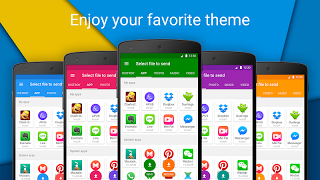
☆ Supports Android, IOS, Windows, PC/ Mac cross-platform transferring
☆ No need for USB connection and PC software installation
☆ Over 100 million files transferred daily
☆ Play all music and videos
☆ Wifi file transfer master
【Main features】
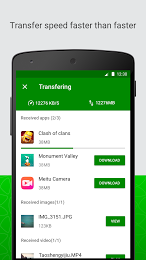
☆ Transfer files with flash speed
Imagine sending your party video to friends in seconds! The highest speed can reach 10M/S.
☆ Share all kinds of files without restrictions
Transfer anything you want, from documents, music, pictures, to videos and apps.
☆ Free of network connection
No cables, no internet, no data usage! You can transfer files to friends anywhere and anytime.
☆ Send large files without limitation
Sharing photos, music, videos, apps, documents and any other file types of unlimited file size.
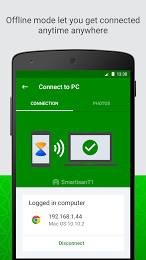
☆ Supports cross platform transferring
Simplifies connections of phones & tablets & PC/Mac and supports you to share any files between Android, iOS and Windows operation systems.
☆ Smart phone replication
Smart switch mobile data like contacts, SMS, pictures, music, videos, games and any other files from your old phone to the new one in one simple step.
☆ File manager
Enables to view, move or delete files you received and even to make a backup copy whenever you need to clean the phone storage.
☆ Check out connected friends’ mobile apps
Various applications from your friend’s phone will be introduced to your own phone when connected successfully and can be shared by one click.
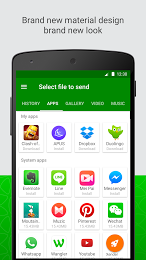
☆ Friendly design
Satisfy the users’ further operating needs with functions related to transferred files like: opening, installing, uninstalling, deleting, viewing etc.
☆ Slide pictures to share
Smoothly share photos to your friends by sliding.

Uninstall the app:
1. Go to Settings menu;
2. Choose Apps or Application manager;
3. Touch the app you want to remove;
4. Press Uninstall.
-
 WhatsApp Messenger
 -
 Play Store
 -
 Facebook
 -
 Messenger
 -
 SHAREit - Transfer & Share
 -
 Truecaller: Caller ID & Dialer
 -
 UC Browser - Fast Download
 -
 MX Player
 -
 Facebook Lite
 -
 Minecraft: Pocket Edition
 -
 Clash Royale
 -
 Instagram
 -
 Clash of Clans
 -
 MyJio
MyJio -
 imo free video calls and chat
 -
 UC Browser Mini - Smooth
 -
 Temple Run 2
 -
 Opera Mini - fast web browser